




Your parking spot can do more!
Share, help, earn.
3.8 (39 Bewertungen)

Your parking spot can do more!
Share, help, earn.
3.8 (39 Bewertungen)
Why this is great for you
Many parking spaces are vacant – even though others are urgently looking for one. Peuka makes it easy for you to help at precisely these moments. Whether in the middle of the city or on the outskirts: Your space could be exactly what's needed there.
01.
No car, but a place
You don't have a car anymore, but the parking space is yours? Just share it further.
02.
Commuting & free during the day:
03.
Holiday & several weeks off
04.
Second home & weekend house


No car, but a place
You don't have a car anymore, but the parking space is yours? Just share it further.
Commuting & free during the day
Holiday & several weeks off
Second home & weekend house


No car, but a place
You don't have a car anymore, but the parking space is yours? Just share it further.
Commuting & free during the day
Holiday & several weeks off
Second home & weekend house


Then empty spaces turn into real relief – and passive income for you!
Benefits at a Glance
With Peuka, you transform unused space into real help – and get something in return.

Earn whenever you like
You decide when your spot is available – and when it's not.

Earn whenever you like
You decide when your spot is available – and when it's not.

Earn whenever you like
You decide when your spot is available – and when it's not.

Flexible like you
Whether it's every day or just on Thursdays – you set the pace.

Flexible like you
Whether it's every day or just on Thursdays – you set the pace.

Flexible like you
Whether it's every day or just on Thursdays – you set the pace.

Visible on the map – for everyone
All Peuka users can see your spot – bookable immediately.

Visible on the map – for everyone
All Peuka users can see your spot – bookable immediately.

Visible on the map – for everyone
All Peuka users can see your spot – bookable immediately.

No hassle, no paperwork
Everything happens through the app – from showing off to paying up, it’s all in one place!

No hassle, no paperwork
Everything happens through the app – from showing off to paying up, it’s all in one place!

No hassle, no paperwork
Everything happens through the app – from showing off to paying up, it’s all in one place!
Withdraw your earnings anytime you like
Absolutely no exceptions and no minimum amount!
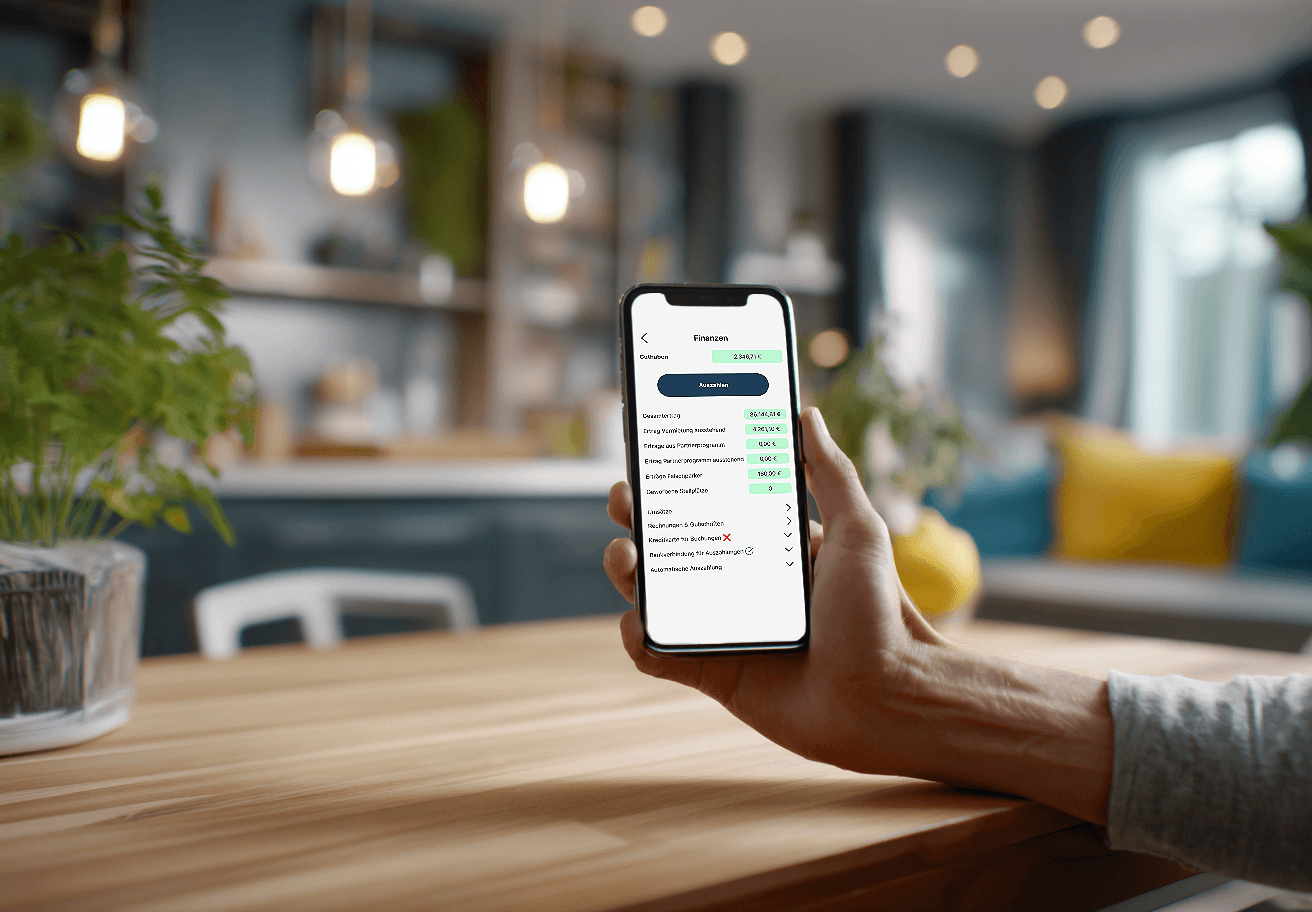
€200.00 have been paid into your account. Yay!
Hello there! 😊

€200.00 have been paid into your account. Yay!
Hello there! 😊
FAQs – A Quick & Cheerful Guide
When does it become worthwhile to rent out my parking space?
In principle, it makes sense to offer your parking space whenever it is vacant for more than an hour. There are no costs for you, just the opportunity for an easy extra income. You can easily set the price for your parking space yourself.
How do I set up my parking space at Peuka?
Setting up your parking space is done in just a few steps: Choose menu option – Click on "Create parking space" in the app. Set location – Drag the pin precisely to your parking spot and click "Add". Add details – Give your parking space a name and describe it in a way that renters can easily find it (e.g., parking space number or special features). Upload photos – Upload up to three striking images that clearly show the parking space and the entrance if applicable. Choose options – Select the appropriate checkboxes for the features of your parking space. Set price – Determine your hourly rate. Peuka will automatically calculate the rental duration costs. Set availability – Choose when your parking space is bookable – for example, when you're on holiday or not currently using it. And you're done! Your parking space now works for you – simply set it up, sit back, relax, and earn money on the side.
Why do I need to identify myself with an ID document for the payout of my balance?
This is due to the current anti-money laundering regulations of the EU. Peuka follows the current legislation. Your identification documents will be deleted after successful verification. For detailed information, just take a look at our privacy policy. Everything is transparently outlined here because data protection is very important to us! If you have any questions, feel free to contact us via email: service@peuka.com
Can I see when my parking space is rented out?
Of course, you'll receive a push notification for each rental to keep you informed. In the "My Parking Spaces" section, you can easily view your parking spaces along with all related rentals. It's important to us that you stay on track.
Can I see who is using my parking space?
Yes – with the Peuka app you always have a clear overview. For each booking, you can see the tenant's details, such as the license plate and the booked time. This way you know exactly who is using your parking space and when it will be free again. It gives you full transparency and a secure feeling – all while your parking space is effortlessly earning money for you.
Data Privacy & Security: What is collected, who owns the data?
Only what is necessary for access, billing, and reporting is stored (data minimization). Access is role-based and logged; transmission/storage is encrypted. A data processing agreement is possible. LPR is optional and is only implemented with suitable legal grounds/notice. Data is not shared for advertising purposes.
When does it become worthwhile to rent out my parking space?
In principle, it makes sense to offer your parking space whenever it is vacant for more than an hour. There are no costs for you, just the opportunity for an easy extra income. You can easily set the price for your parking space yourself.
How do I set up my parking space at Peuka?
Setting up your parking space is done in just a few steps: Choose menu option – Click on "Create parking space" in the app. Set location – Drag the pin precisely to your parking spot and click "Add". Add details – Give your parking space a name and describe it in a way that renters can easily find it (e.g., parking space number or special features). Upload photos – Upload up to three striking images that clearly show the parking space and the entrance if applicable. Choose options – Select the appropriate checkboxes for the features of your parking space. Set price – Determine your hourly rate. Peuka will automatically calculate the rental duration costs. Set availability – Choose when your parking space is bookable – for example, when you're on holiday or not currently using it. And you're done! Your parking space now works for you – simply set it up, sit back, relax, and earn money on the side.
Why do I need to identify myself with an ID document for the payout of my balance?
This is due to the current anti-money laundering regulations of the EU. Peuka follows the current legislation. Your identification documents will be deleted after successful verification. For detailed information, just take a look at our privacy policy. Everything is transparently outlined here because data protection is very important to us! If you have any questions, feel free to contact us via email: service@peuka.com
Can I see when my parking space is rented out?
Of course, you'll receive a push notification for each rental to keep you informed. In the "My Parking Spaces" section, you can easily view your parking spaces along with all related rentals. It's important to us that you stay on track.
Can I see who is using my parking space?
Yes – with the Peuka app you always have a clear overview. For each booking, you can see the tenant's details, such as the license plate and the booked time. This way you know exactly who is using your parking space and when it will be free again. It gives you full transparency and a secure feeling – all while your parking space is effortlessly earning money for you.
Data Privacy & Security: What is collected, who owns the data?
Only what is necessary for access, billing, and reporting is stored (data minimization). Access is role-based and logged; transmission/storage is encrypted. A data processing agreement is possible. LPR is optional and is only implemented with suitable legal grounds/notice. Data is not shared for advertising purposes.
When does it become worthwhile to rent out my parking space?
In principle, it makes sense to offer your parking space whenever it is vacant for more than an hour. There are no costs for you, just the opportunity for an easy extra income. You can easily set the price for your parking space yourself.
How do I set up my parking space at Peuka?
Setting up your parking space is done in just a few steps: Choose menu option – Click on "Create parking space" in the app. Set location – Drag the pin precisely to your parking spot and click "Add". Add details – Give your parking space a name and describe it in a way that renters can easily find it (e.g., parking space number or special features). Upload photos – Upload up to three striking images that clearly show the parking space and the entrance if applicable. Choose options – Select the appropriate checkboxes for the features of your parking space. Set price – Determine your hourly rate. Peuka will automatically calculate the rental duration costs. Set availability – Choose when your parking space is bookable – for example, when you're on holiday or not currently using it. And you're done! Your parking space now works for you – simply set it up, sit back, relax, and earn money on the side.
Why do I need to identify myself with an ID document for the payout of my balance?
This is due to the current anti-money laundering regulations of the EU. Peuka follows the current legislation. Your identification documents will be deleted after successful verification. For detailed information, just take a look at our privacy policy. Everything is transparently outlined here because data protection is very important to us! If you have any questions, feel free to contact us via email: service@peuka.com
Can I see when my parking space is rented out?
Of course, you'll receive a push notification for each rental to keep you informed. In the "My Parking Spaces" section, you can easily view your parking spaces along with all related rentals. It's important to us that you stay on track.
Can I see who is using my parking space?
Yes – with the Peuka app you always have a clear overview. For each booking, you can see the tenant's details, such as the license plate and the booked time. This way you know exactly who is using your parking space and when it will be free again. It gives you full transparency and a secure feeling – all while your parking space is effortlessly earning money for you.
Data Privacy & Security: What is collected, who owns the data?
Only what is necessary for access, billing, and reporting is stored (data minimization). Access is role-based and logged; transmission/storage is encrypted. A data processing agreement is possible. LPR is optional and is only implemented with suitable legal grounds/notice. Data is not shared for advertising purposes.